Quick Commerce with AI assistant - Case Study
AI shopping assistant to support customer purchases online for quick commerce platform to efficiently give suggestions and recommendations for users to make more informed and faster decisions.
Role
UX/UI Designer
Industry
Quick Commerce
Duration
1 month

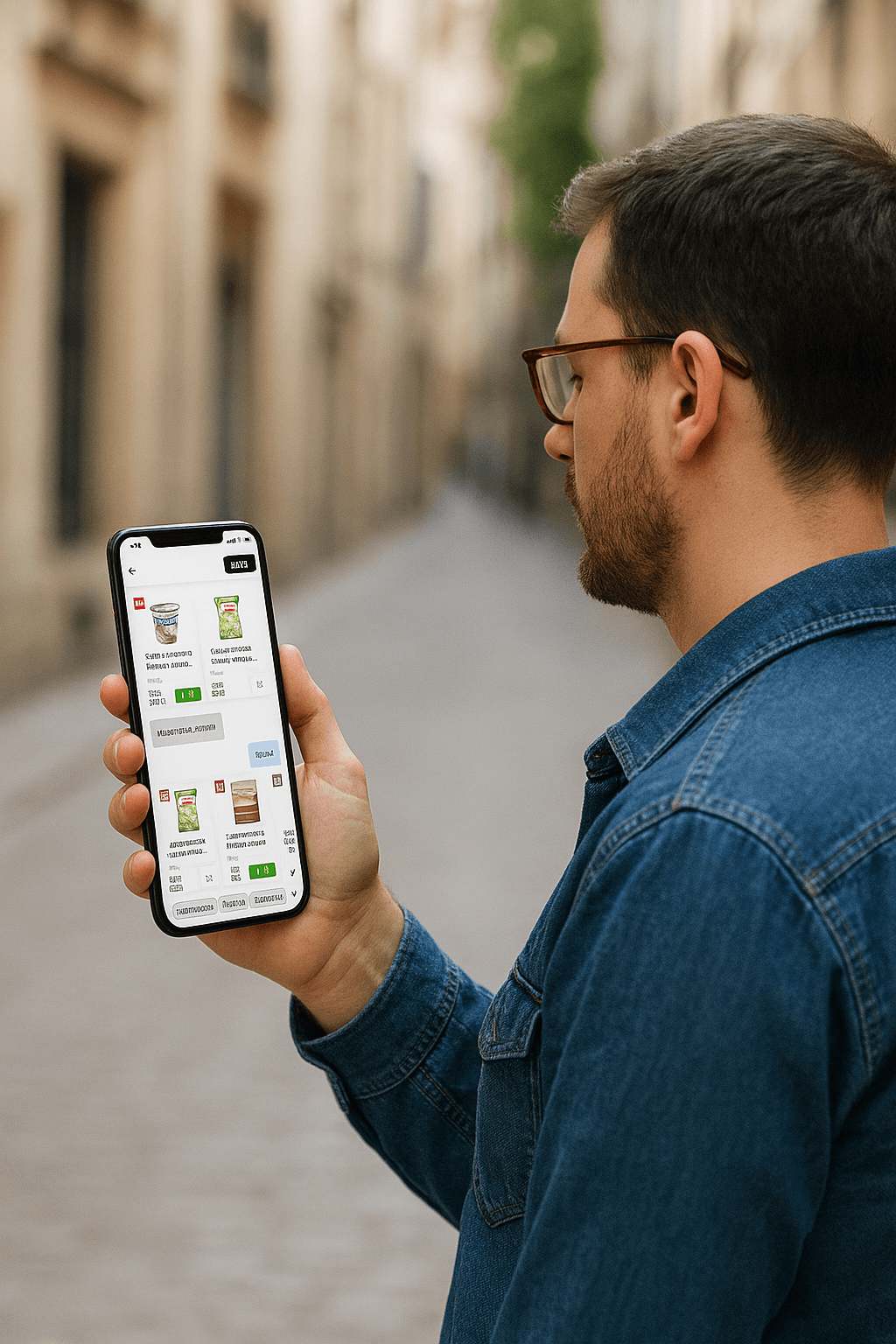
Designing an AI-powered shopping assistant for quick commerce platforms involves a deep understanding of user behavior, real-time needs, contextual awareness, and trust in AI-driven decisions. Here's a breakdown of my case study.
User Research
What is quick commerce?
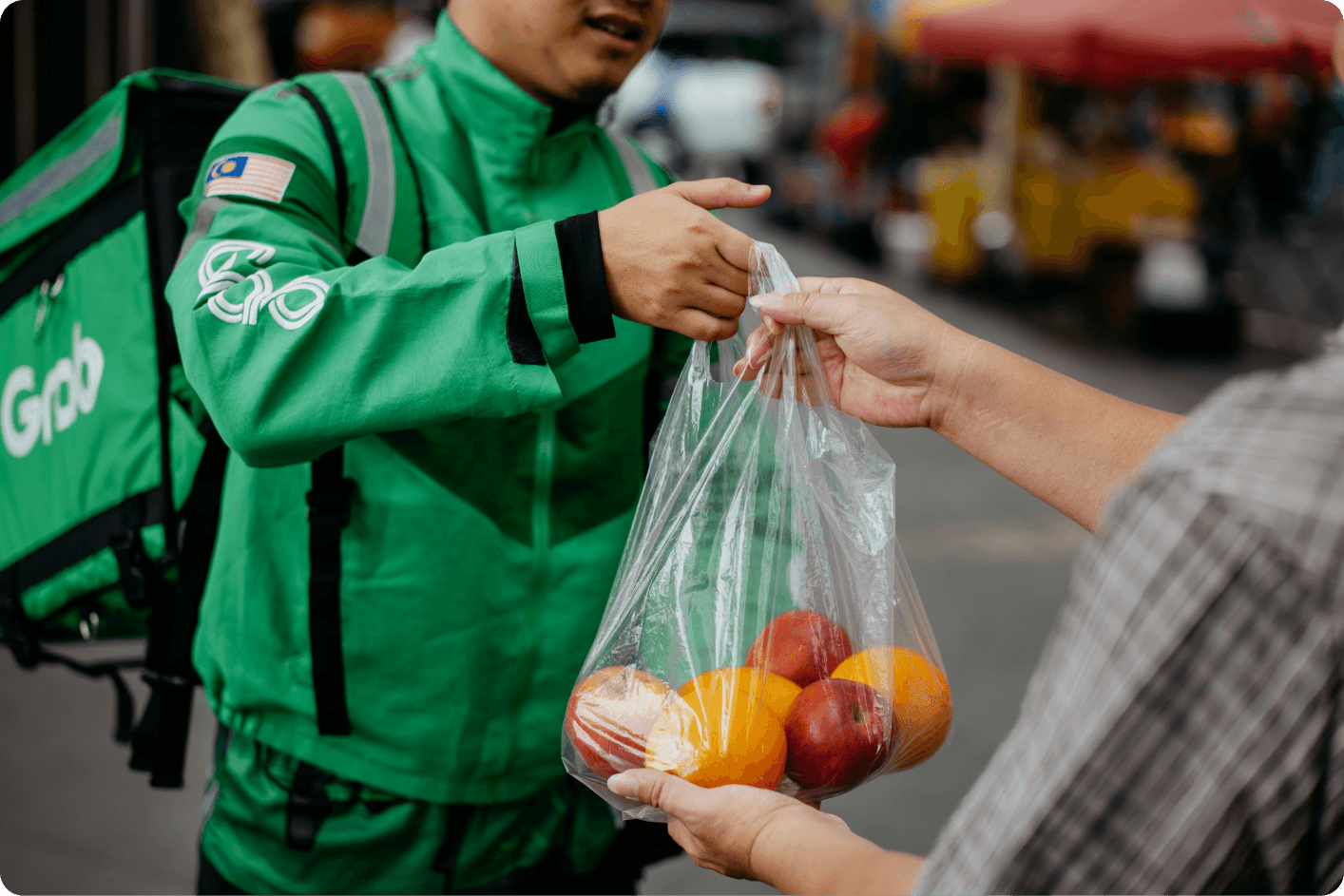
Quick commerce/business is something that a customer uses to place online orders for daily essentials and groceries. It ensures faster delivery and enhanced distribution through the dark store Business Model.

The model helps the business to place, pick, and pack things in no time with the help of micro warehouse houses. It not only helps the customers with door-to-door deliveries, but it also saves time by delivering things super fast. This brings consumers to such platforms and to use their services.
Dark stores are customer-free zones and have better control of inventory and manage larger order volumes. The dark stores are specifically designed for easy navigation, allowing packers to move as quickly as possible to pack the items in order.
Why do you need AI assistant?
Help users maximise each order and have increased savings and benefits while enjoying a smooth shopping experience, which makes them want to return to the application again. The goal is to create seamless shopping experience for the customers, which eventually makes them loyal customers to the business. This ultimately enhances the user experience, boosts the average order value, increases user engagement with the product and increases customer retention and decrease drop off rates.
Competitor Research / Market Analysis
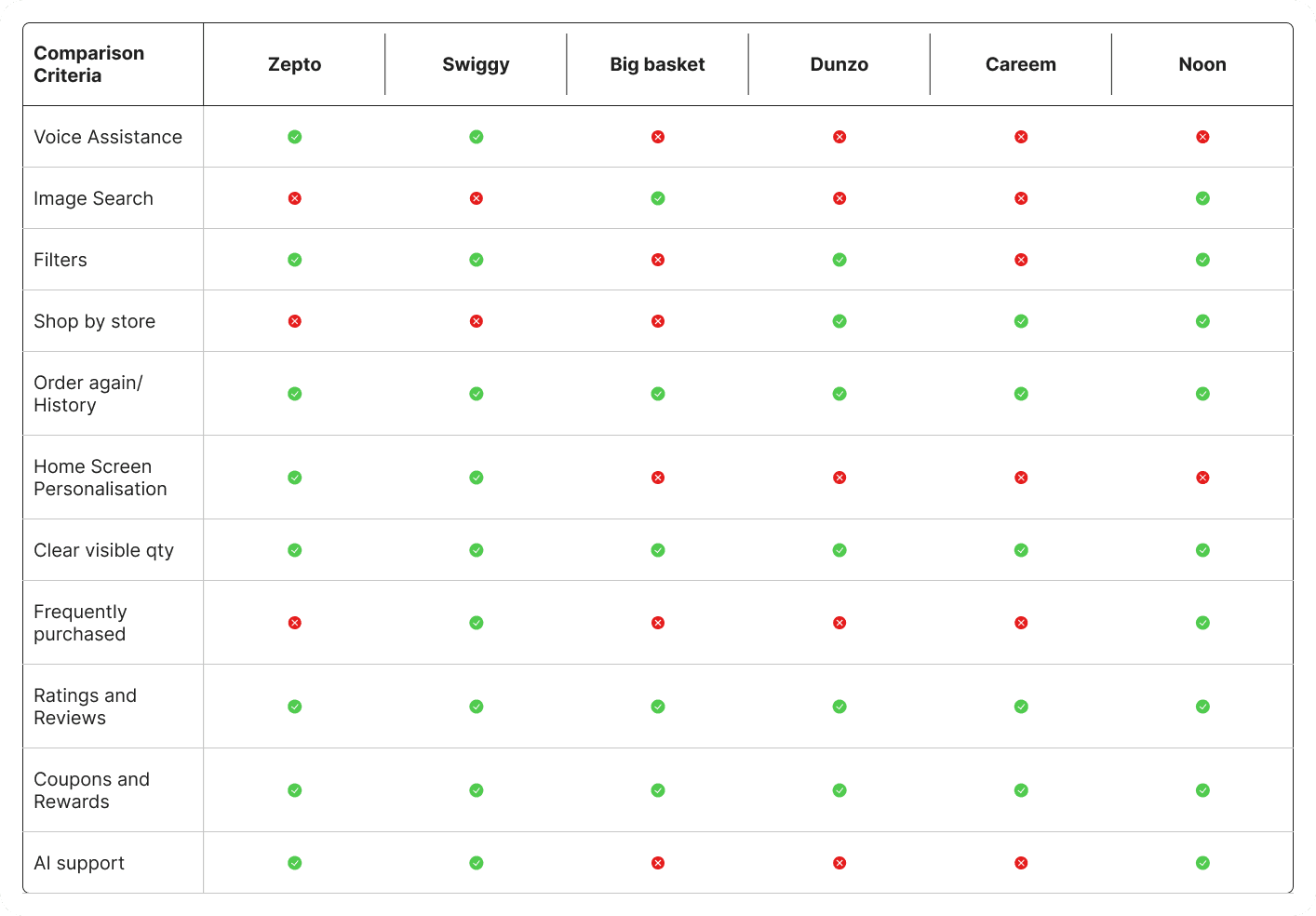
In this stage, I did competitor research and went ahead with some of our direct competitors in India and abroad. I reviewed the competitor apps to understand their user flow, features, and usability and derived insights from them to see how we can improve the business with help of AI.


Define: Ideation & Conceptualization
Led creative workshops involving stakeholders and fellow designers to brainstorm innovative features that address the identified needs. Mapped out several user journey scenarios to visualize how users would interact with the proposed features, fostering a collaborative environment and promoting engagement through gamified learning experiences.tead, algorithms and logic-based solutions ought only provide humans with better insight so as to empower us to arrive at better solutions, faster.
User Journey Mapping
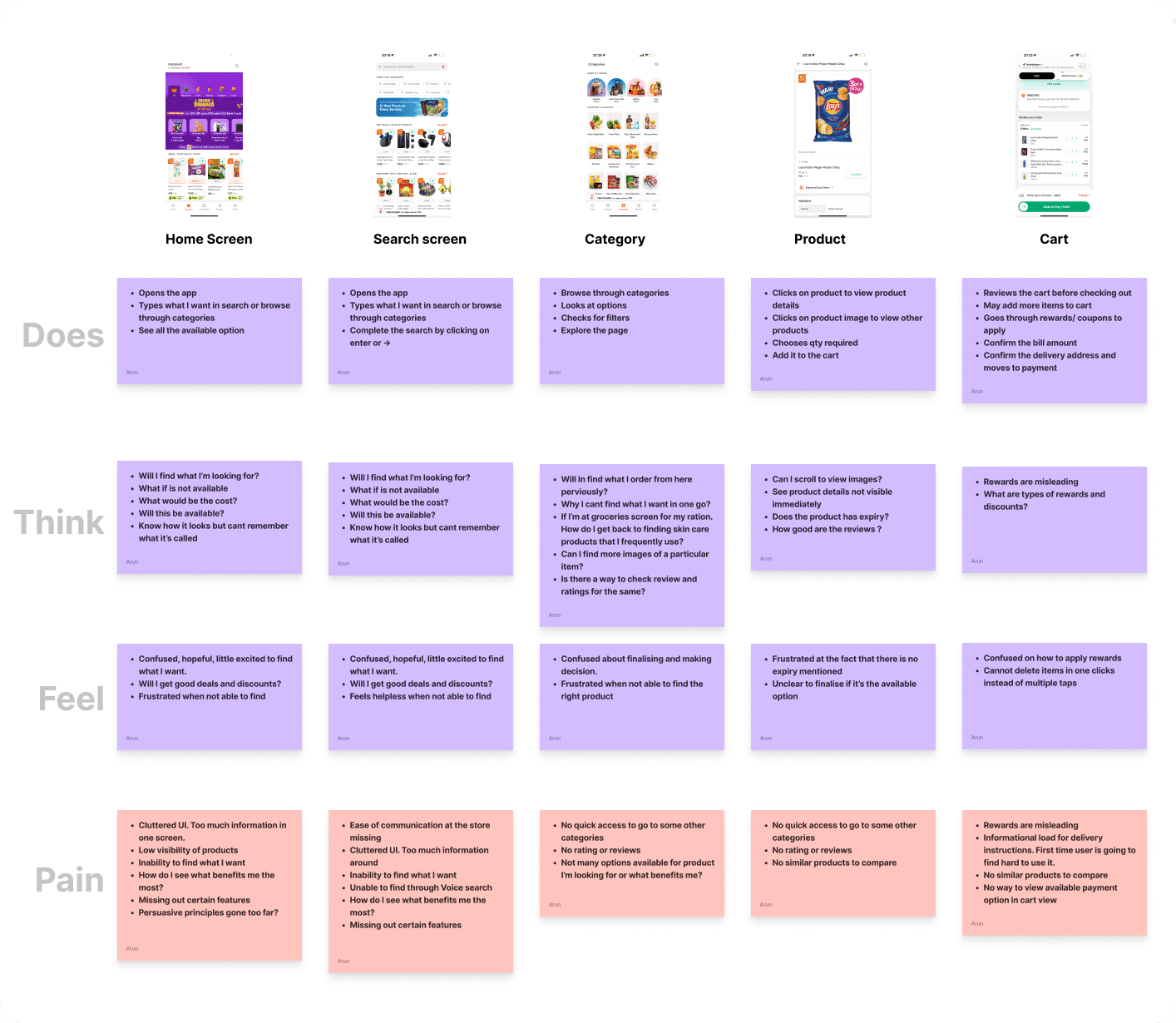
Using the collective insight gained from all market studies, I tried to bring it together into a User Journey Map. User Journey Map helped to understand the user at different levels in regards to their behaviour, thought process, feelings, and pain points.

Persona Identifications
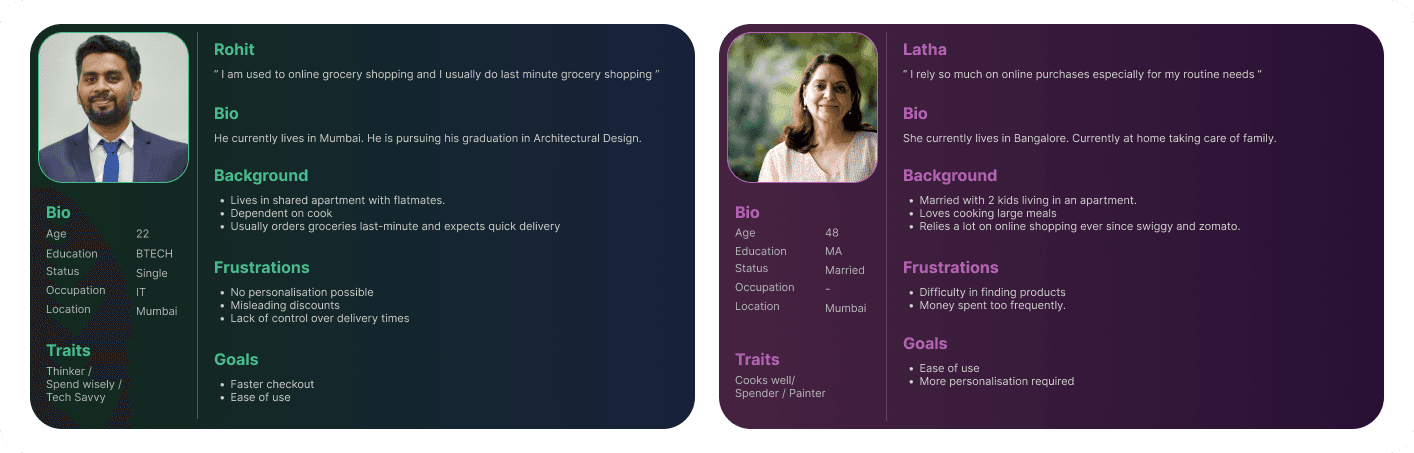
After understanding the problem, Next step was to identify a target user examining the flow of quick commerce application which includes the home screen, search, category page, product listing page, product detail page and finally to the cart and redesign the flow while identifying the opportunities to make usability better for the people aged between 16-55 years which will lead to increased customer retention and boost average order value.

Potential opportunities for improvement:
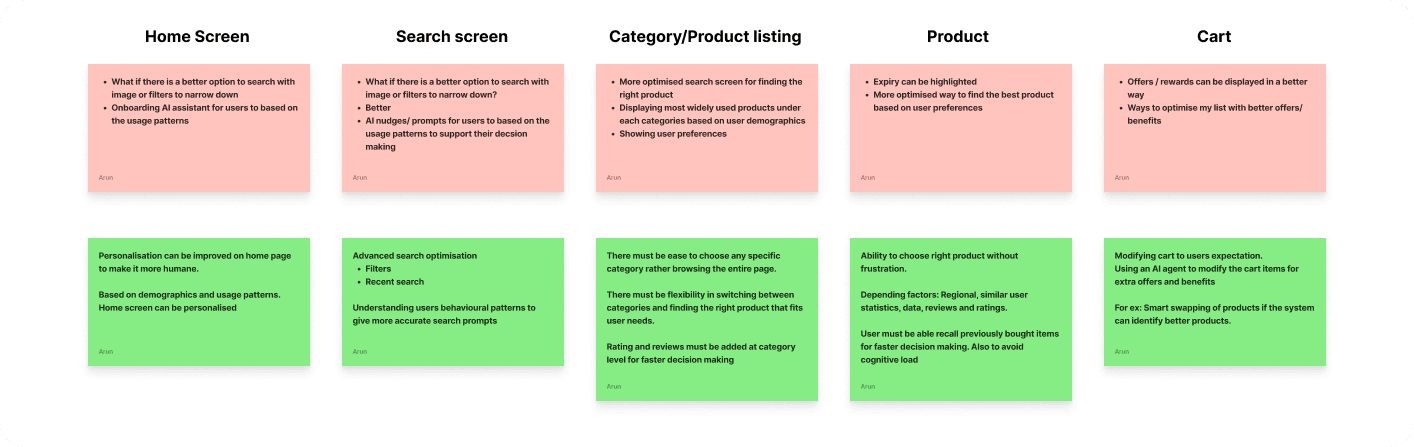
A comprehensive study of existing quick commerce platforms highlights several potential areas for enhancing the current user experience. These are areas I feel could be improved by means of an AI agent.

Design Execution
Lo fi wireframes.
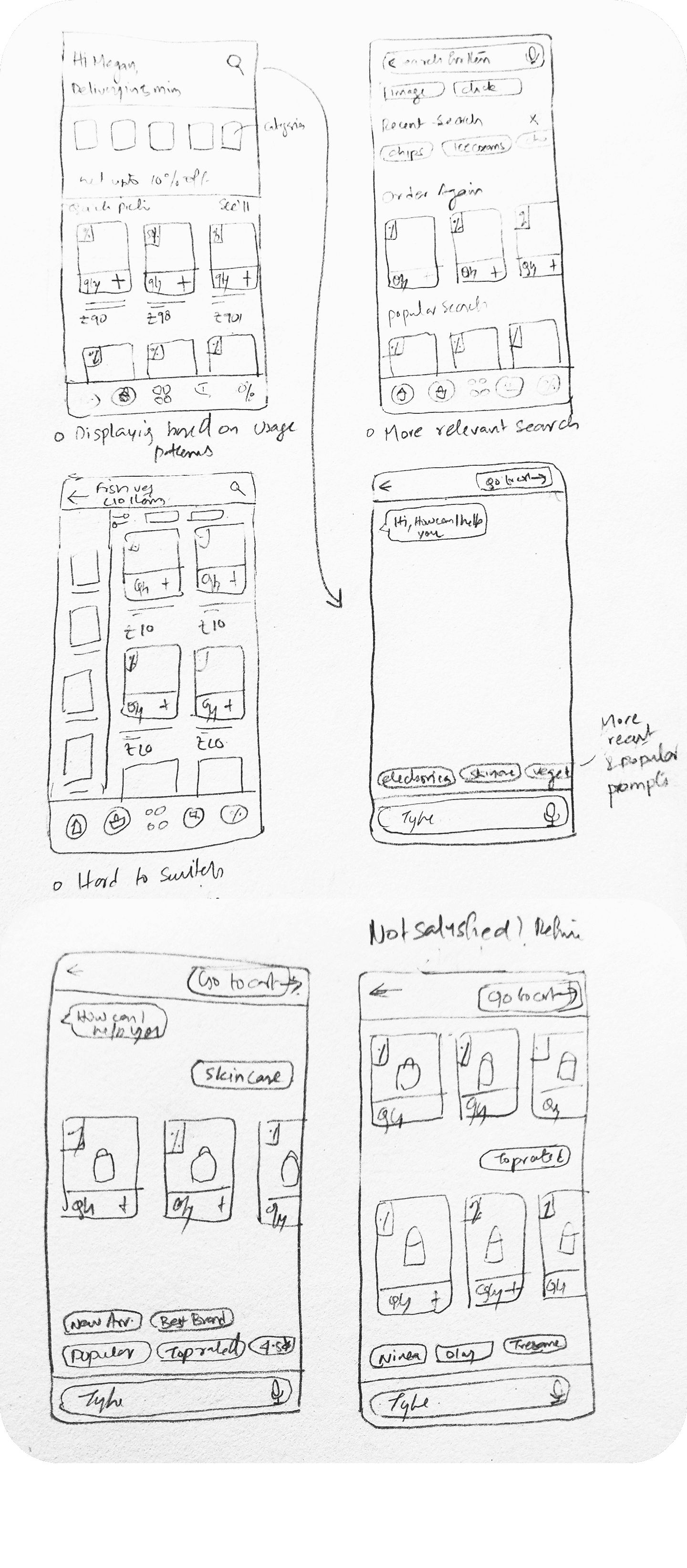
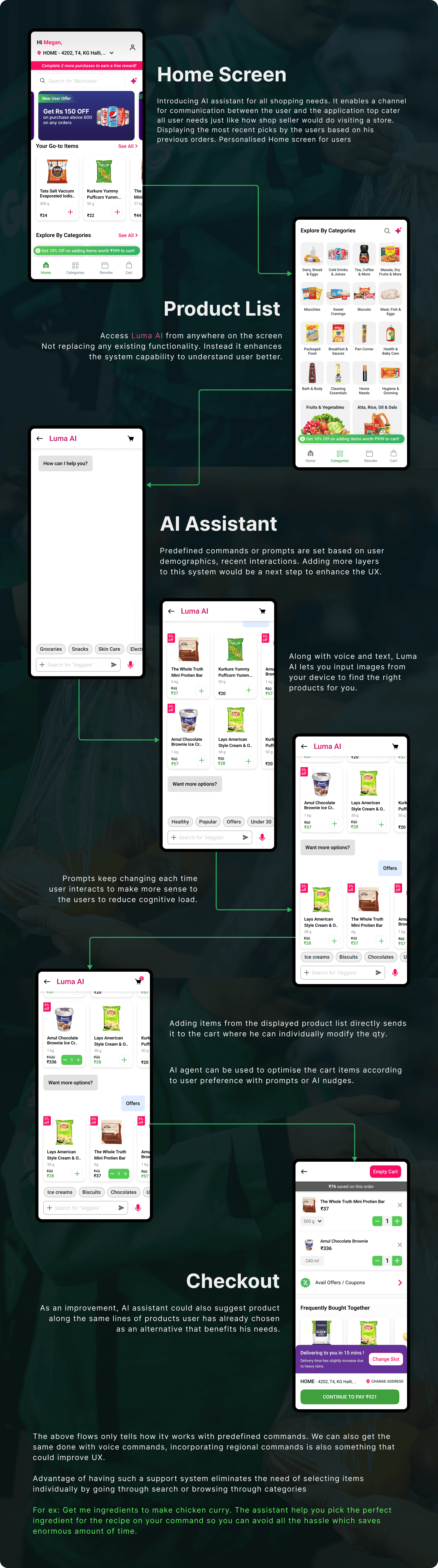
Based on the findings represented some of the screen visually on paper focusing mainly on the content placement and core functionality of the AI assistant.

Prototyping: Utilized advanced features in Figma to create interactive prototypes, enabling realistic user interactions. Conducted live prototype demonstrations to stakeholders, providing a tangible sense of the app's look and feel, as well as its functionality.
UI Design Revamp:

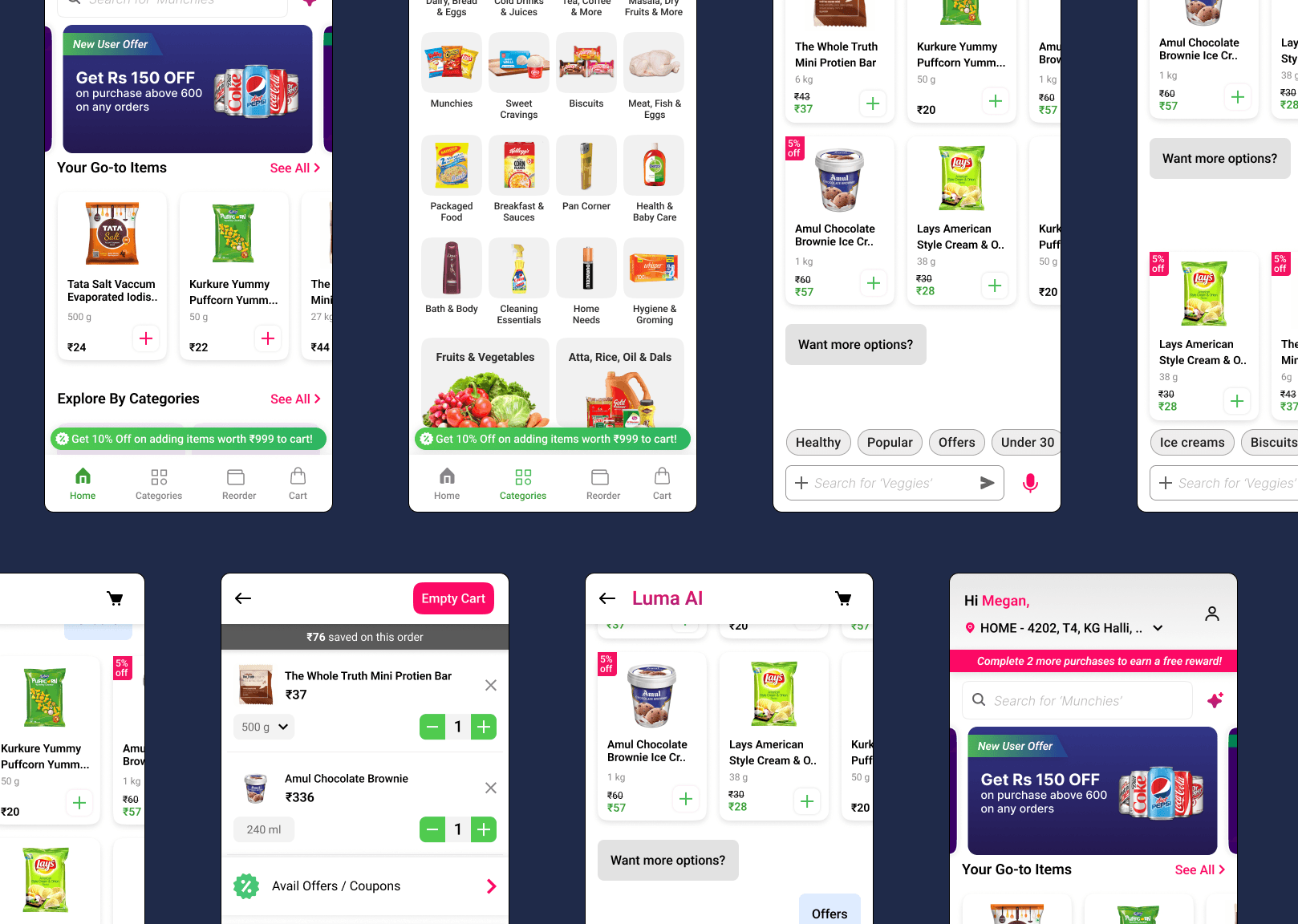
Crafted a visually appealing and accessible user interface, selecting a color palette that promotes concentration and creativity, alongside typography that improves readability across various devices. Integrated feedback from stakeholders to refine the UI, ensuring that it not only looks appealing but also aligns with educational goals.
Designing an AI-powered shopping assistant for quick commerce platforms involves a deep understanding of user behavior, real-time needs, contextual awareness, and trust in AI-driven decisions. Here's a breakdown of my case study.
User Research
What is quick commerce?
Quick commerce/business is something that a customer uses to place online orders for daily essentials and groceries. It ensures faster delivery and enhanced distribution through the dark store Business Model.

The model helps the business to place, pick, and pack things in no time with the help of micro warehouse houses. It not only helps the customers with door-to-door deliveries, but it also saves time by delivering things super fast. This brings consumers to such platforms and to use their services.
Dark stores are customer-free zones and have better control of inventory and manage larger order volumes. The dark stores are specifically designed for easy navigation, allowing packers to move as quickly as possible to pack the items in order.
Why do you need AI assistant?
Help users maximise each order and have increased savings and benefits while enjoying a smooth shopping experience, which makes them want to return to the application again. The goal is to create seamless shopping experience for the customers, which eventually makes them loyal customers to the business. This ultimately enhances the user experience, boosts the average order value, increases user engagement with the product and increases customer retention and decrease drop off rates.
Competitor Research / Market Analysis
In this stage, I did competitor research and went ahead with some of our direct competitors in India and abroad. I reviewed the competitor apps to understand their user flow, features, and usability and derived insights from them to see how we can improve the business with help of AI.


Define: Ideation & Conceptualization
Led creative workshops involving stakeholders and fellow designers to brainstorm innovative features that address the identified needs. Mapped out several user journey scenarios to visualize how users would interact with the proposed features, fostering a collaborative environment and promoting engagement through gamified learning experiences.tead, algorithms and logic-based solutions ought only provide humans with better insight so as to empower us to arrive at better solutions, faster.
User Journey Mapping
Using the collective insight gained from all market studies, I tried to bring it together into a User Journey Map. User Journey Map helped to understand the user at different levels in regards to their behaviour, thought process, feelings, and pain points.

Persona Identifications
After understanding the problem, Next step was to identify a target user examining the flow of quick commerce application which includes the home screen, search, category page, product listing page, product detail page and finally to the cart and redesign the flow while identifying the opportunities to make usability better for the people aged between 16-55 years which will lead to increased customer retention and boost average order value.

Potential opportunities for improvement:
A comprehensive study of existing quick commerce platforms highlights several potential areas for enhancing the current user experience. These are areas I feel could be improved by means of an AI agent.

Design Execution
Lo fi wireframes.
Based on the findings represented some of the screen visually on paper focusing mainly on the content placement and core functionality of the AI assistant.

Prototyping: Utilized advanced features in Figma to create interactive prototypes, enabling realistic user interactions. Conducted live prototype demonstrations to stakeholders, providing a tangible sense of the app's look and feel, as well as its functionality.
UI Design Revamp:

Crafted a visually appealing and accessible user interface, selecting a color palette that promotes concentration and creativity, alongside typography that improves readability across various devices. Integrated feedback from stakeholders to refine the UI, ensuring that it not only looks appealing but also aligns with educational goals.


User Testing & Iterations
Organized a series of remote user testing sessions to evaluate the AI feature integration of a quick commerce platform's usability and effectiveness in fostering collaborative learning. Analyzed feedback to identify patterns and areas for improvement, leading to several design iterations that enhanced user engagement and satisfaction.
Learn if the users are able to identify the AI assistant in the quick commerce platform
Learn if they are able add items from the chat
Learn if the users are able easily navigate around different screens.
Find out how satisfied participants are with the app.
Task assigned:
Find the AI assistant.
Add an item of your choice for checkout
If you are not sure with something, how you going to seek help?
Find out how satisfied participants are with the app.
The prototype test done on 4 participants were moderated keeping in mind timeline constraints I had. Main goals were as following.
Key takeaways:
All the participants were able to complete the tasks.
1 participant had doubts finding what they wanted in the prompt initially, but made it through once they got familiar with the flow
Everyone was able to navigate easily through all the screens and access the help section.
One suggested we might even have a curated list of items with the help of AI to add to cart based on their region and timely purchase patterns




Next Steps & Learning Outcomes:
The AI feature holds strong potential to be expanded further by leveraging user purchase patterns and contextual data to deliver even more relevant, time-saving suggestions. The next step will be to incorporate insights gathered during user testing into the current design and conduct another round of validation to assess improvements. This process will be iterative refine, test, learn, and repeat until the assistant becomes both intuitive and reliable in aiding faster decision-making.
Prepared an in-depth presentation and comprehensive documentation detailing the research findings, design rationale, user testing outcomes, and the iterative design process. Highlighted the app's potential to transform the educational landscape by making learning more interactive, engaging, and collaborative.
What Did I Learn?
Gained a deep understanding of how user needs and behaviors vary across different age groups, which influenced design decisions around layout, text size, and navigation.
Direct feedback from user testing sessions provided valuable insight into pain points and usability issues.
Several screens went through multiple design iterations, and peer design reviews at each stage helped guide the final outcome.
Developed a strong awareness of accessibility principles, particularly in creating inclusive interfaces that accommodate users of all abilities and experience levels.
What Would I Do Differently?
Given more time, I would have expanded the design scope to include a more complete set of screens and edge cases, building a fuller product narrative.
I would also prioritize early-stage testing, even at the low-fidelity stage, to catch usability issues before investing time in high-fidelity design.
Incorporating more cross-functional feedback earlier in the process from developers and product stakeholders would have helped align expectations and reduce rework.

Next Steps & Learning Outcomes:
The AI feature holds strong potential to be expanded further by leveraging user purchase patterns and contextual data to deliver even more relevant, time-saving suggestions. The next step will be to incorporate insights gathered during user testing into the current design and conduct another round of validation to assess improvements. This process will be iterative refine, test, learn, and repeat until the assistant becomes both intuitive and reliable in aiding faster decision-making.
Prepared an in-depth presentation and comprehensive documentation detailing the research findings, design rationale, user testing outcomes, and the iterative design process. Highlighted the app's potential to transform the educational landscape by making learning more interactive, engaging, and collaborative.
What Did I Learn?
Gained a deep understanding of how user needs and behaviors vary across different age groups, which influenced design decisions around layout, text size, and navigation.
Direct feedback from user testing sessions provided valuable insight into pain points and usability issues.
Several screens went through multiple design iterations, and peer design reviews at each stage helped guide the final outcome.
Developed a strong awareness of accessibility principles, particularly in creating inclusive interfaces that accommodate users of all abilities and experience levels.
What Would I Do Differently?
Given more time, I would have expanded the design scope to include a more complete set of screens and edge cases, building a fuller product narrative.
I would also prioritize early-stage testing, even at the low-fidelity stage, to catch usability issues before investing time in high-fidelity design.
Incorporating more cross-functional feedback earlier in the process from developers and product stakeholders would have helped align expectations and reduce rework.

Other projects
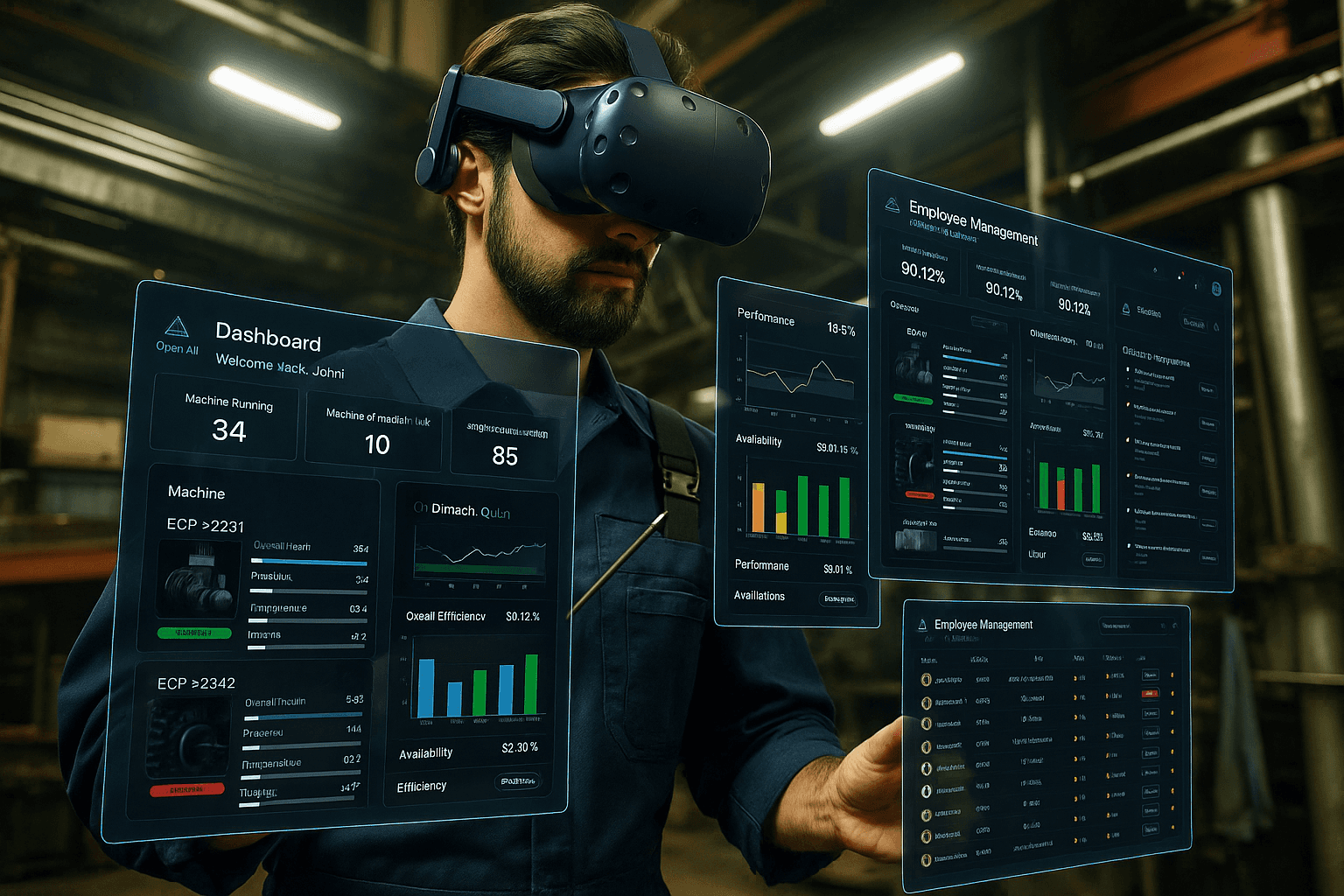


Optra AI - Interactive Dashboard
AI powered system that helps manufacturing supervisors monitor machine performance in real time and assign the right workers to the right tasks for smoother, more efficient plant operations.


Aloha Cloud POS
Shaping next generations POS experiences
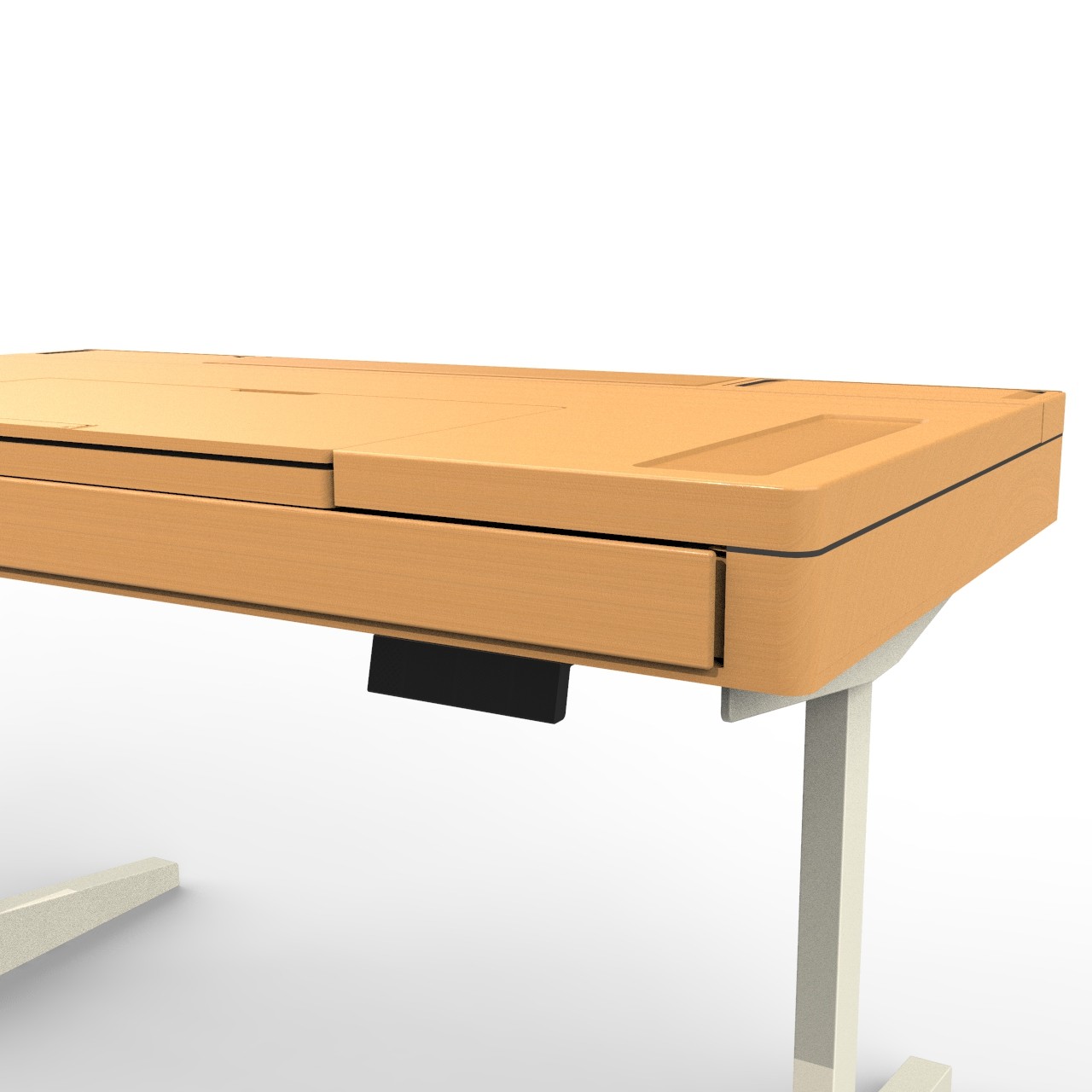


Designer's Workspace
Reimagining Designer's workspace through ergonomic lens